
If the grill is not turning on when pressing the POWER button, use this guide to help identify the cause.
Power Check
Power Cycle Grill
- Turn off power switch on back of grill, wait 5 seconds then switch back on.
- A small “beep” should sound once power is switched back on.
- YES I heard a beep: jump to Controller Check section
- NO I didn’t hear a beep: continue to the next section Power Supply
Power Supply
- Check that the power cable is plugged in properly into power point or extension cable.
- Try another power point to confirm that there is power available.
- For power cables that plug into the back of the hopper, check that it is plugged in firmly.
- Continue onto Green Lights inspection.
Green Lights
- Remove the outer fan cover (unplug the fan if required).
- Plug the grill into power and turn on the power switch on the rear of the hopper.
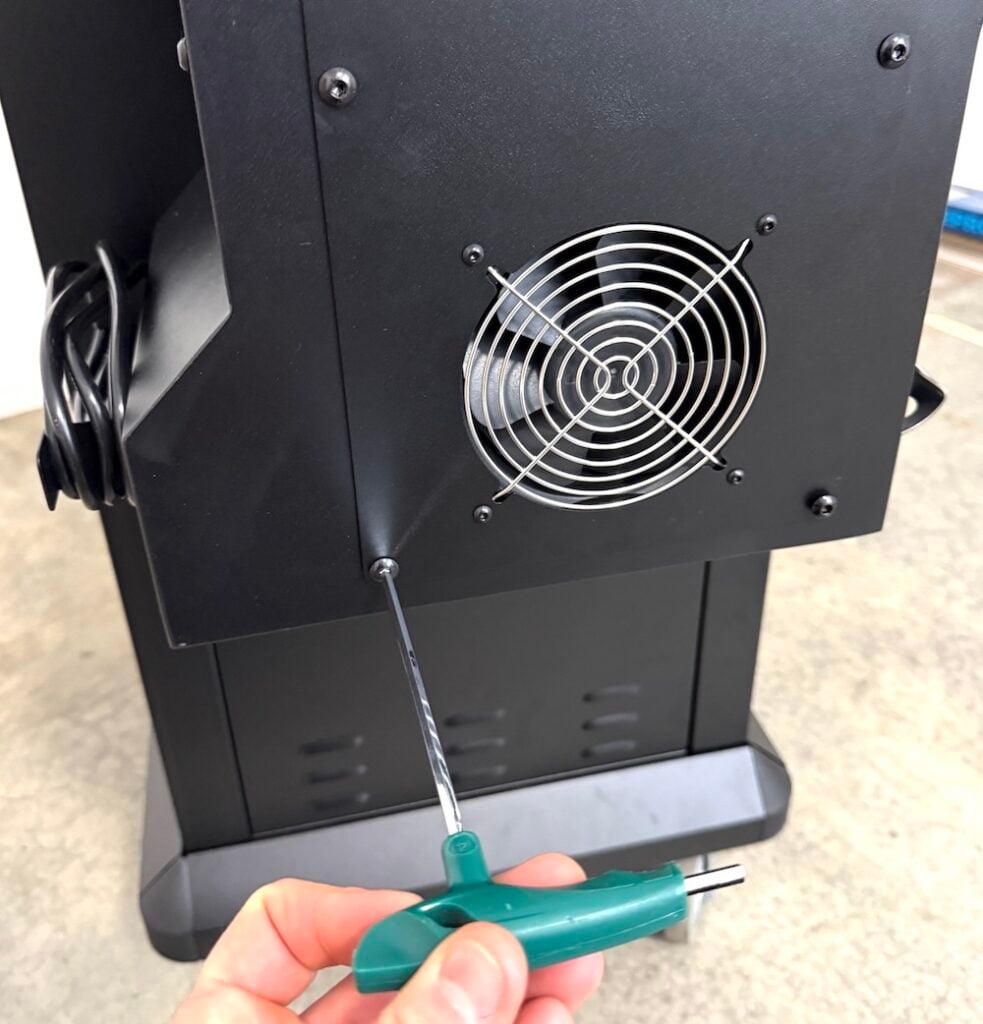
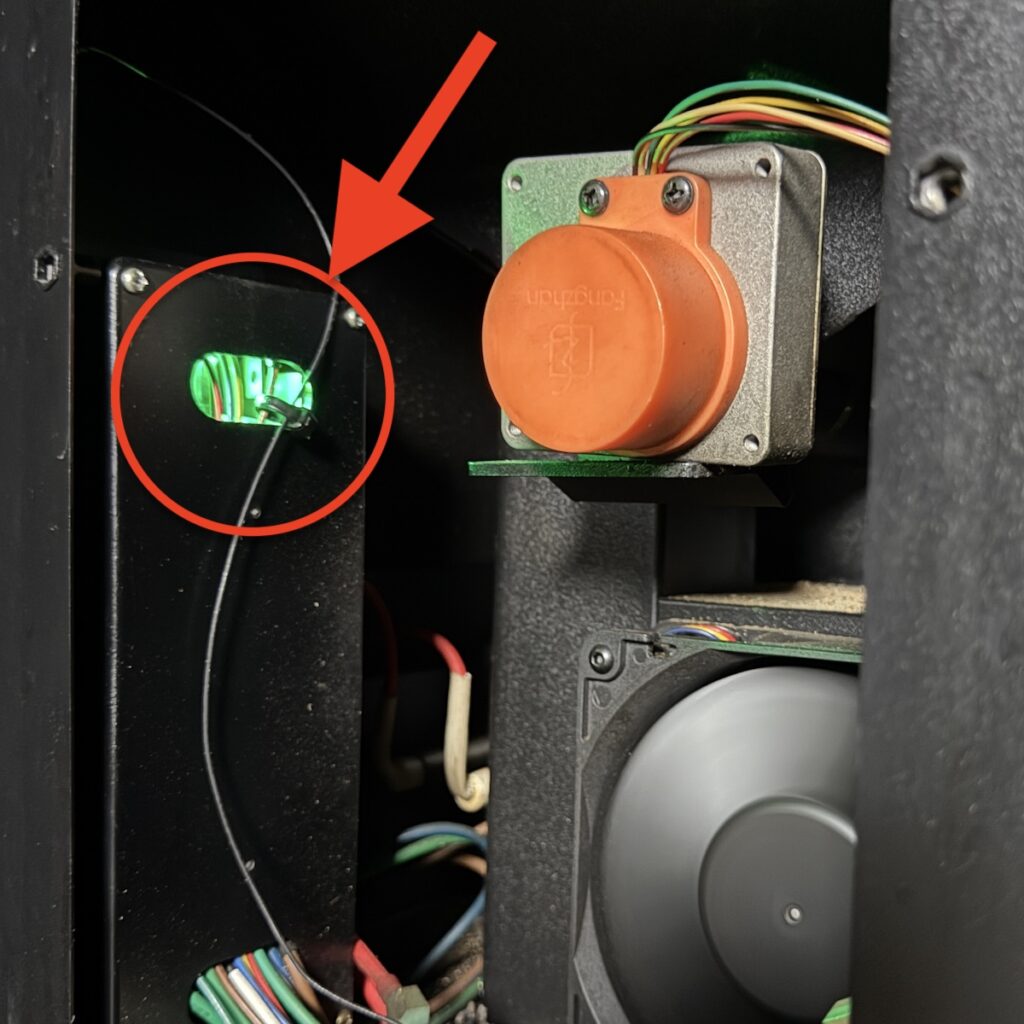
- Check for a green light from the black plastic AC Power Box located on the inner left of the hopper.
- If there is no light visible then the controller is not getting power, or the power supply box is not working. Please Contact Us.
- If there is a visible light then it means the AC Power Box is working.
- Check to see if there is a green flashing light coming from the Controller Box in the top right section of the hopper. If there is then the controller is receiving power from the AC Power Box.
- If no green light the controller box may be faulty. Please Contact Us.
Controller Check
If confirmed that the AC Power Box and Controller box have green lights, then further investigation is required as outlined below.
POWER Button
- Press and hold the power button to wake the controller up.
- If nothing happens check to ensure the glass surface is clean of any oil or grease and try again.
Just Updated?
- If the screen is not turning on after a software install, please power cycle the grill (power switch) and try updating again from the Trimal Aus App.
- If no update is available, or there is no response when trying to start an update please Contact Us.
Replacement
- If the AC Box or Controller are faulty they can be replaced. Please Contact Us.