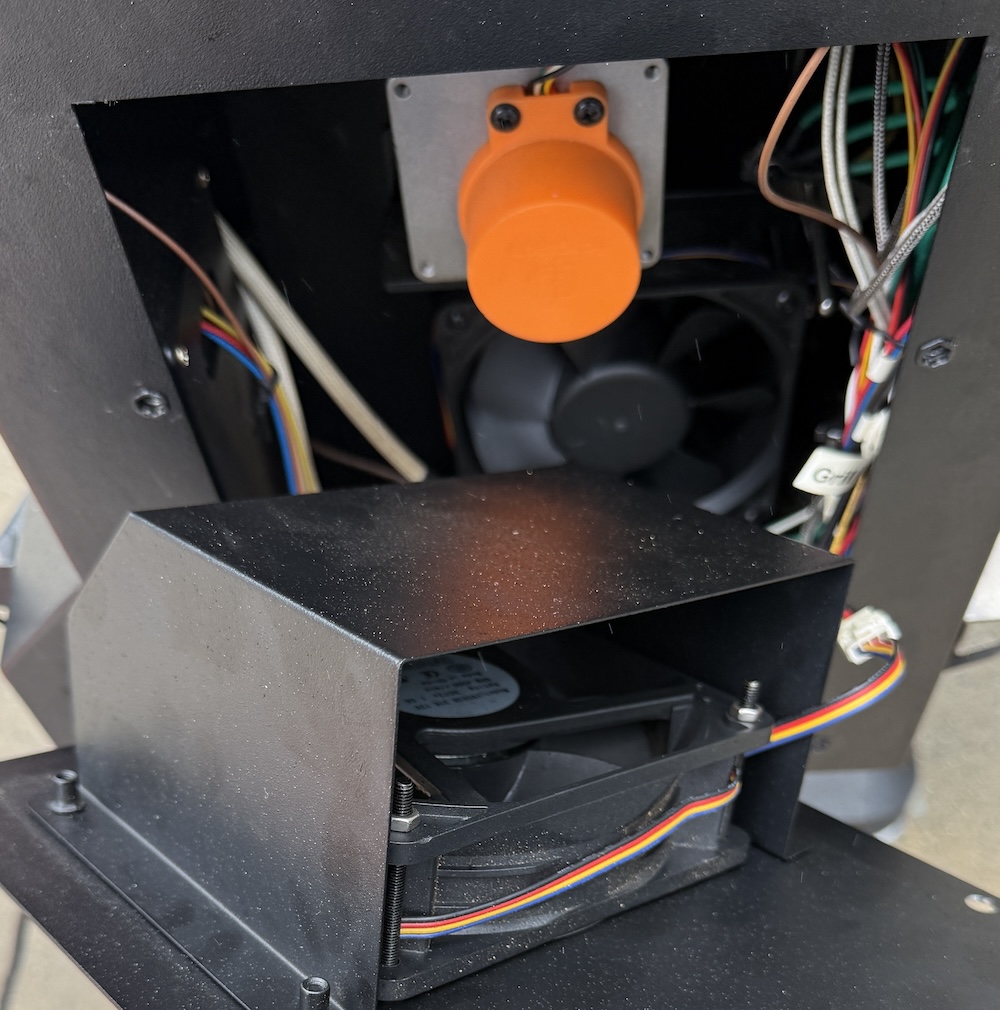
The Trimal S1 hopper has two fans. The outer fan feeds both the inner fan and ventilates the hopper. The inner fan feeds the fire.
Both of the fans have PWM speed control and feedback to the controller, so if they are not operating properly an error will be triggered.
- Inner Fan Fault = Error 32
- Outer Fan Fault = Error 33
Fan Investigation
Visual Check
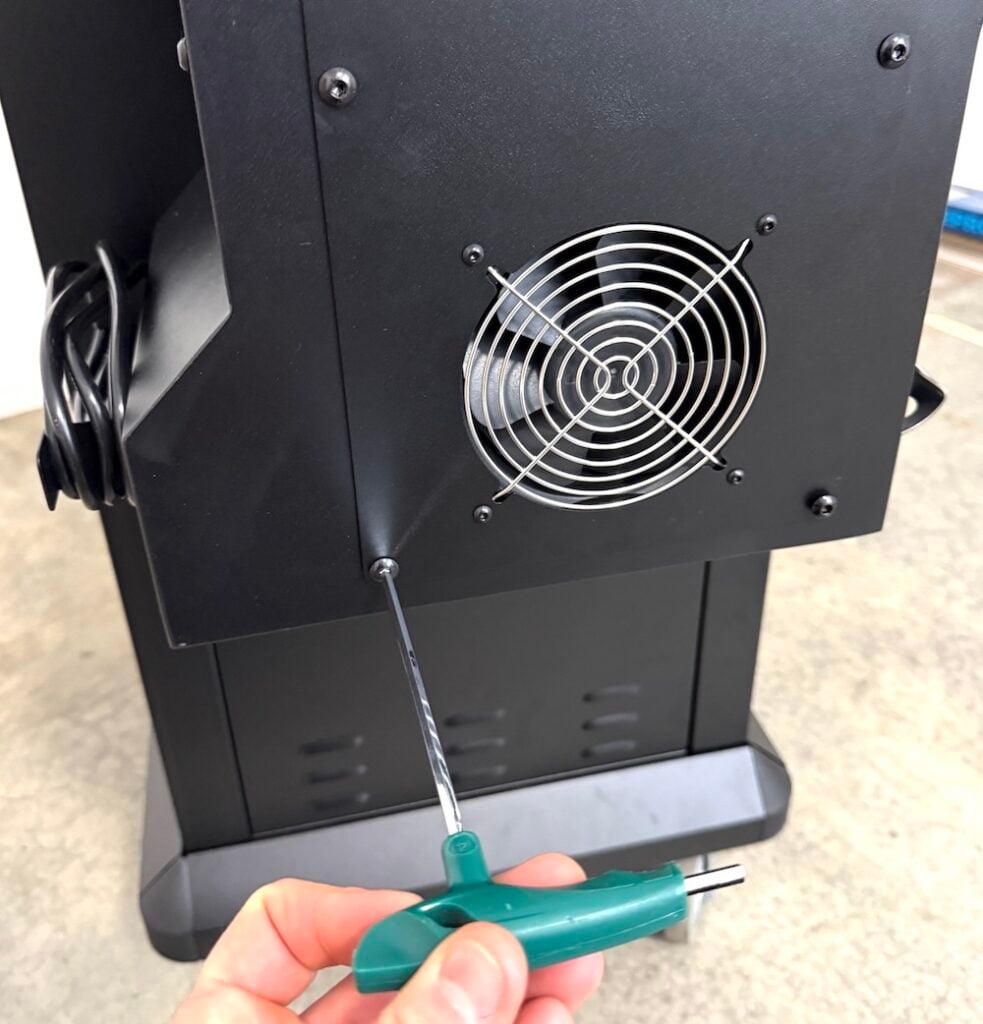
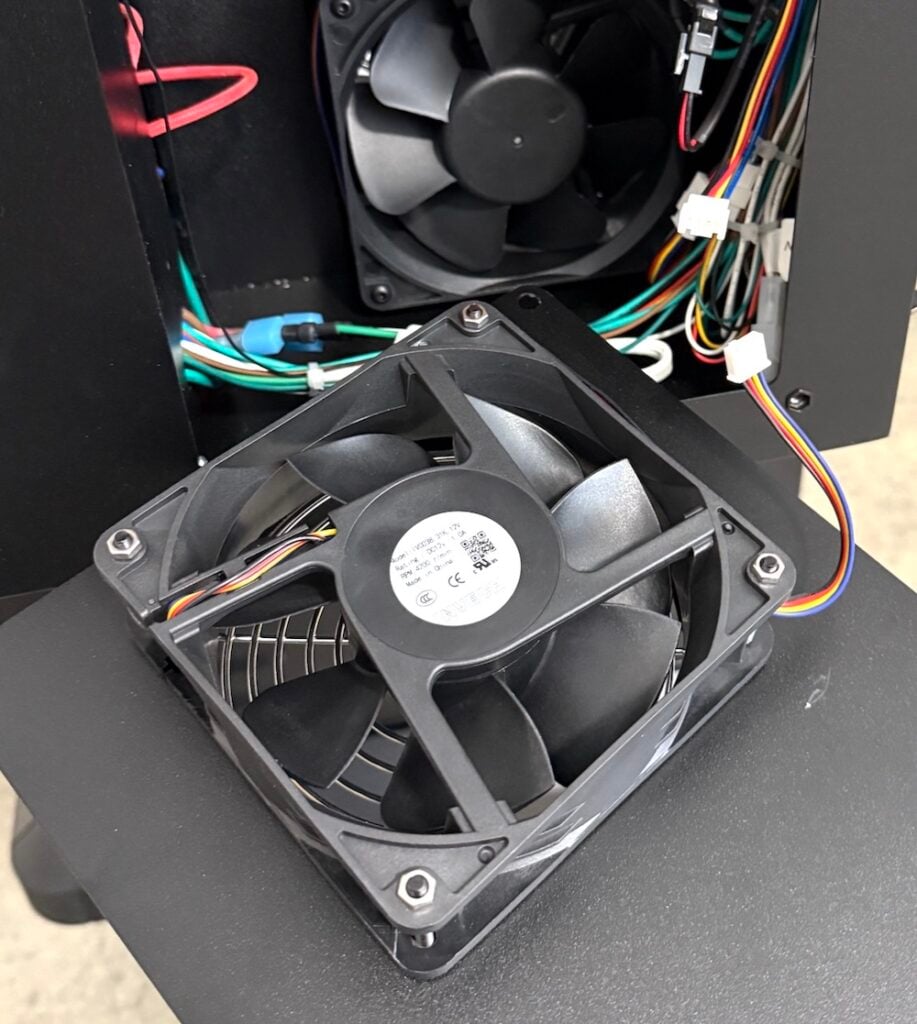
- Remove the outer fan cover and check that the fans are not being blocked by and cables and are able to freely spin.
Operating Test
Using the Test Grill function, the fans can be manually operated and the system will test if they are providing a healthy return signal.
- Return the outer fan panel back into place.
- Power on the grill.
- In the controller go to MENU > SETTINGS > TEST OPERATION > Fan Motors.
- Each fan will run for 60 seconds at a high speed.
- Listen to hear if each is running while the test is operating.
- Note that the outer fan will operate at a moderate speed while the inner fan test is being completed.
- At the end of the test PASS or FAIL will be shown on the controller screen.
- Press the control knob at anytime to stop the testing.
If one of the fans failed the test, switch around the INNER FAN and OUTER FAN plugs to confirm if it is the FAN that is faulty or the cable/controller.
See example below if the Inner Fan initially was failing:
- Test if INNER FAN is faulty:
- Plug the inner fan into outer fan cable and run test again.
- If the OUTER FAN TEST passes, it means the fan itself is ok. So it may be the cable/controller.
- If it fails again that means the fan itself has an issue.
- Test if cable/controller is faulty:
- If the inner fan works when plugged into the outer fan cable, then use the outer fan plugged into the inner fan cable. This will check if the inner fan cable is providing a good signal.
- Run the INNER FAN TEST test again. If the outer fan does not spin and/or it fails the test, that confirms the cable/controller is the issue and not the fan itself.
Report findings back to the Trimal support team who can provide a replacement fan or cable. The controller is less likely to be the source of the issue.
Wood Dust in Hopper?
Over time some fine wood dust can be blown through the small gap between the auger bushing and auger shaft – resulting in some wood dust inside the hopper around the cables. This is nothing to be concerned about, but can be vacuumed or blown out when doing inspection or repairs.
Change Fan Cable
If it is determined that the signal to the fan is the issue, not the fan itself, the cable can be switched over. Follow the steps below.
- Unplug the inner or outer fan cable that needs to be replaced.
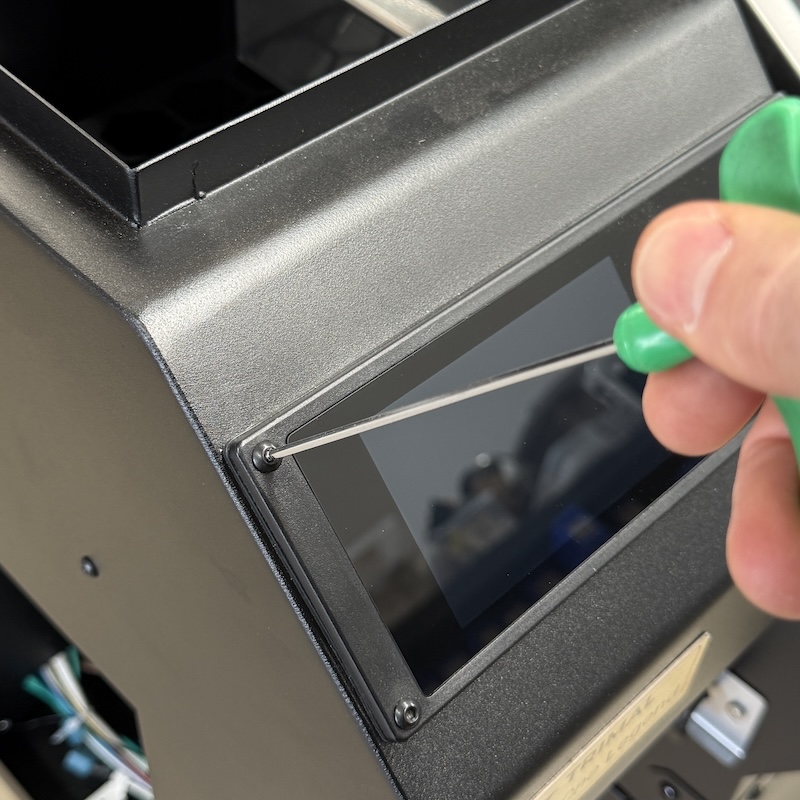
- Remove the 4 screws that secure the controller
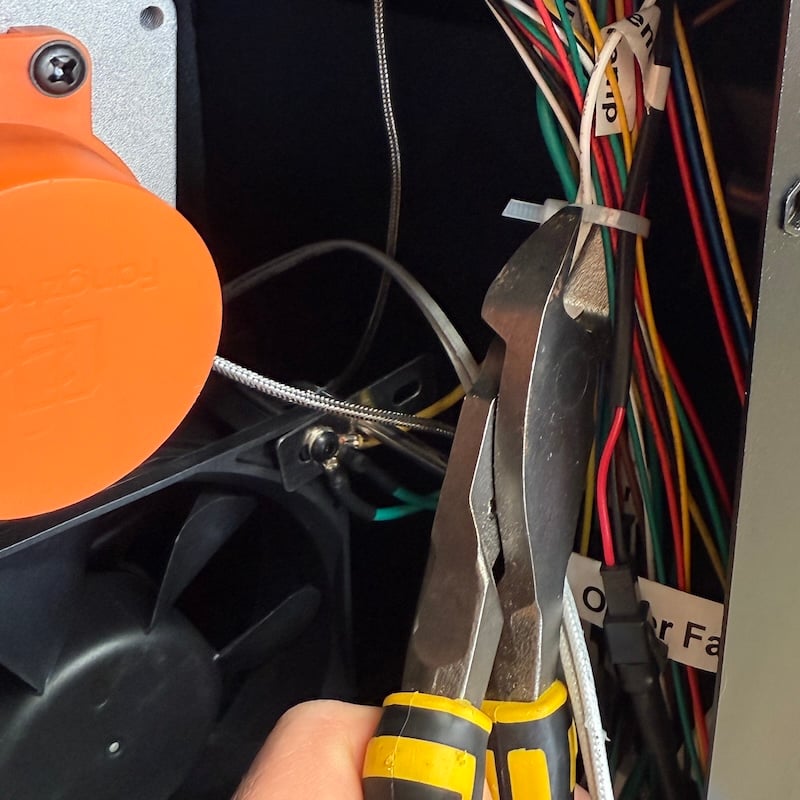
- Cut the cable ties that secure the bundled cables to the inner wall of the hopper such that the controller can be lifted forward out of the hopper housing.
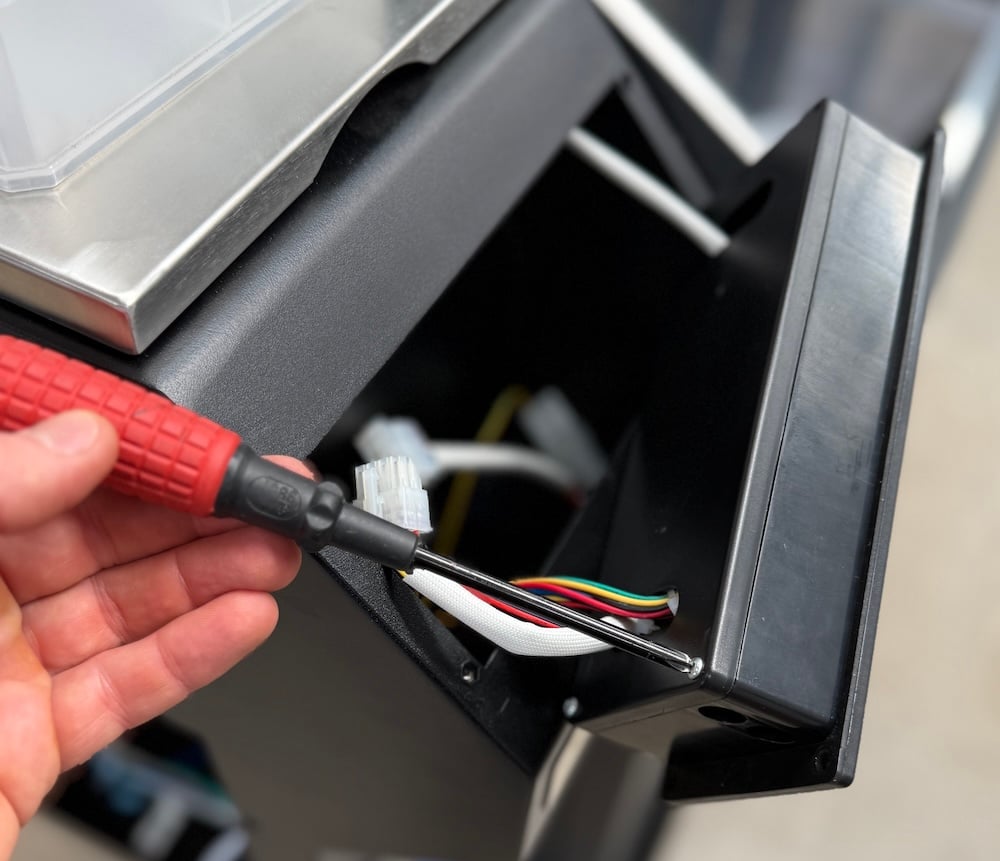
- Remove the 4 screws that secure the rear panel of the controller box.
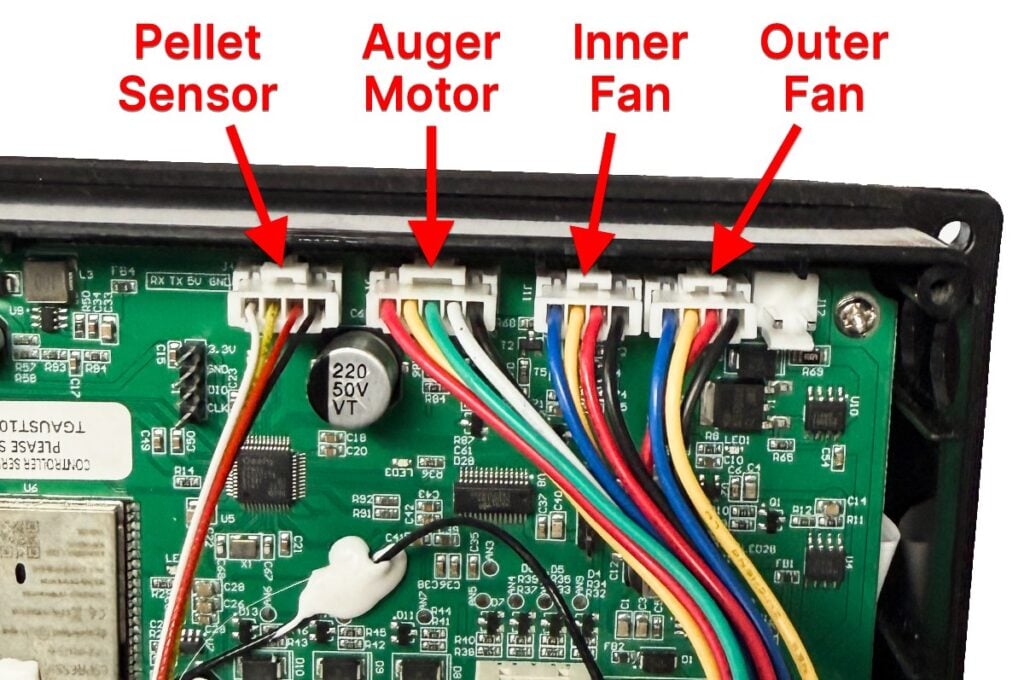
- Find the correct fan plug.
- Use a blunt object to push down the locking tab on the side to release the plug and pull it out.
- Plug in the new cable.
- With the controller pushed back into the hopper housing (rear panel can still be off) test the fan again to see if operating correctly. If still not operating as expected switch around the cable on the control board (Inner Fan and Outer Fan) and test again. This can help determine if the controller itself is the issue.
Reverse the above steps to connect everything back together and test the fan again.
If working correctly, neatly secure the bundle of cables back to the right hand inner wall of the hopper with cable ties.
Replace Fan
If determined that the fan is faulty, it can be easily replaced by unplugging the cable, removing the 4 screws that secure in place and changing it over.
Take note of the correct orientation of the fan (arrow on side) so the air flow direction is correct.
In hoppers from mid 2026 onwards, the outer fan has shroud as shown below. Remove the shroud first to access the fan.