
Always Showing Full
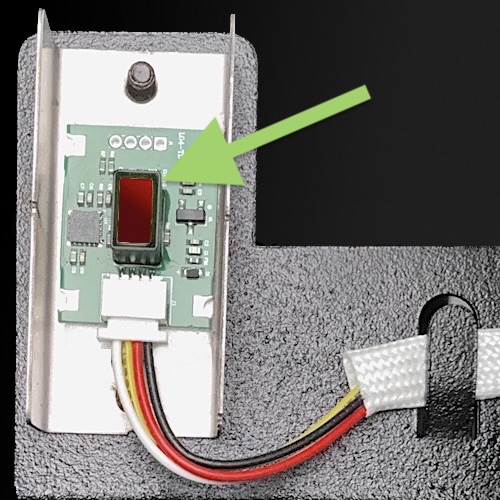
If the pellet level is constantly showing as full, the sensor may have a thick layer of dust.
Use a soft cloth to gently wipe the lens clean.
Position a mirror or selfie camera underneath so the pellets sensor is clearly visible.
Always Showing Empty
Check to ensure the cable is plugged in well (see image above).
One the controller standby screen (power on), tap the FN button and then measure pellet and see if level correctly updates after 3-5 seconds.
If still not working please contact us.
ERROR 24 – Pellet Sensor Failure
If the pellets sensor isn’t provide a signal, Error 24 will appear in the App.
Check the ensure the plug is pushed in fully. Review the video below.